Cable not included
DB25 to 8 XLR male
Available to order soon. Sold separately; not included.
Connect to the balanced XLR inputs of active monitors, power amplifiers or studio equipment.
Male DB25 at the board → 8 male XLR plugs Order now
THE MULTICHANNEL HAT FOR RASPBERRY PI 5
8xOUT STUDIO brings eight balanced analogue outputs to your Raspberry Pi 5 through a studio-standard DB25 connector. Connect XLR or 1/4-inch TRS equipment using a matching TASCAM / AES59 breakout cable.
Original price was: 109,90€.89,90€Current price is: 89,90€. excl. VAT
Availability: Limited stock available - 2 in stock.
*ESS specifications, four-channel differential mode; DNR A-weighted. Not complete-board measurements. Breakout cable not included.
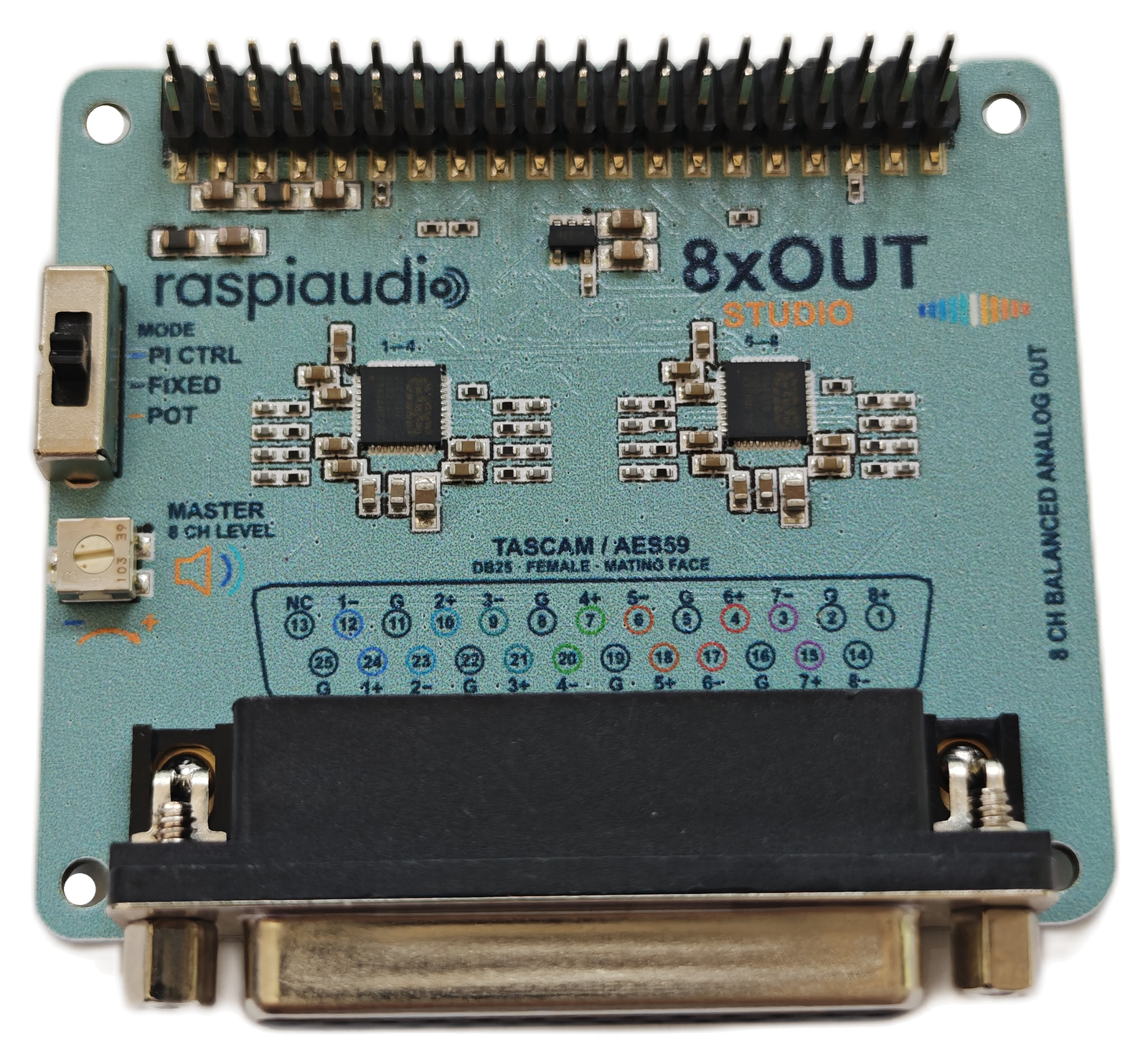
THE SOUND STARTS HERE
Two ES9081Q DACs, each configured for four differential channels. A dedicated conversion stage for every balanced output, without turning your Pi into a rack of hardware.
*ESS component specifications in four-channel differential mode, not measurements of the complete board. ESS ES9081 datasheet ↗
QUIET POWER FOR PRECISE CONVERSION
Two ESS SABRE ultra-low-noise regulators supply the analogue stages. A carefully designed power foundation supports low-noise conversion and the DACs' dynamic-range potential, without claiming an unmeasured whole-board result.
A STUDIO CONNECTION. NOT A CABLE PUZZLE.
A female DB25 with the TASCAM / AES59 analogue pinout. Connect to your setup using a matching DB25-to-XLR or DB25-to-TRS breakout cable.
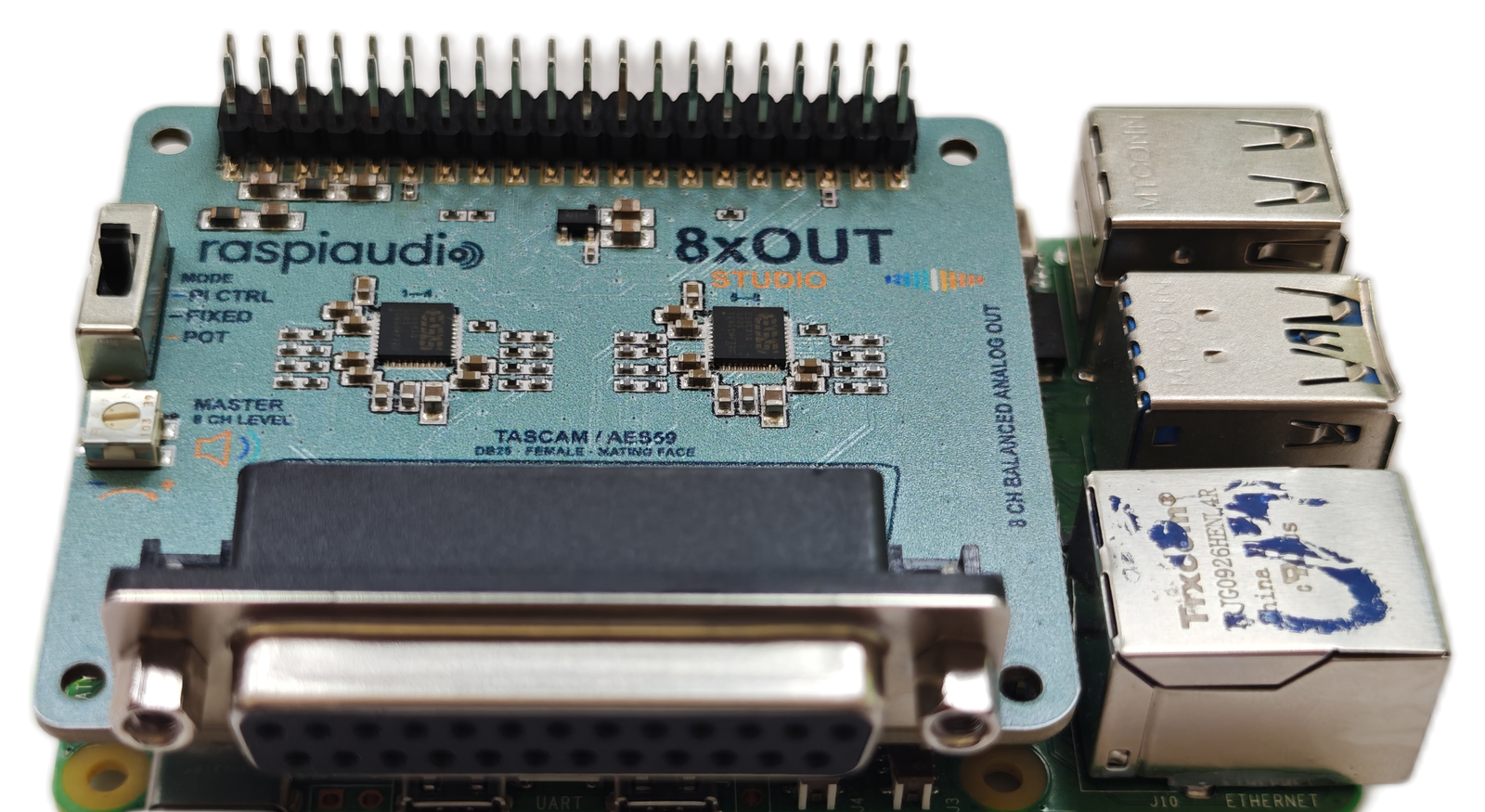
One connector on the board, eight individual outputs for your setup. Choose the breakout that matches your equipment.
Available to order soon. Sold separately; not included.
Connect to the balanced XLR inputs of active monitors, power amplifiers or studio equipment.
Male DB25 at the board → 8 male XLR plugsAvailable to order soon. Sold separately; not included.
Connect to balanced 1/4-inch (6.35 mm) TRS inputs on monitors, mixers or other line-level equipment.
Male DB25 at the board → 8 male TRS plugsChoose TASCAM / AES59 analogue wiring. Each plug carries one balanced audio channel. Confirm the pinout with your cable supplier. Cables sold separately.
Standard studio wiring.
Hot, cold and ground for each channel.
Line level, not speaker power.
Connect to active speakers or an amplifier.
Choose the right breakout.
Analogue TASCAM pinout, not a computer or AES/EBU cable.
Breakout cables, Raspberry Pi, amplifiers and speakers are not included.
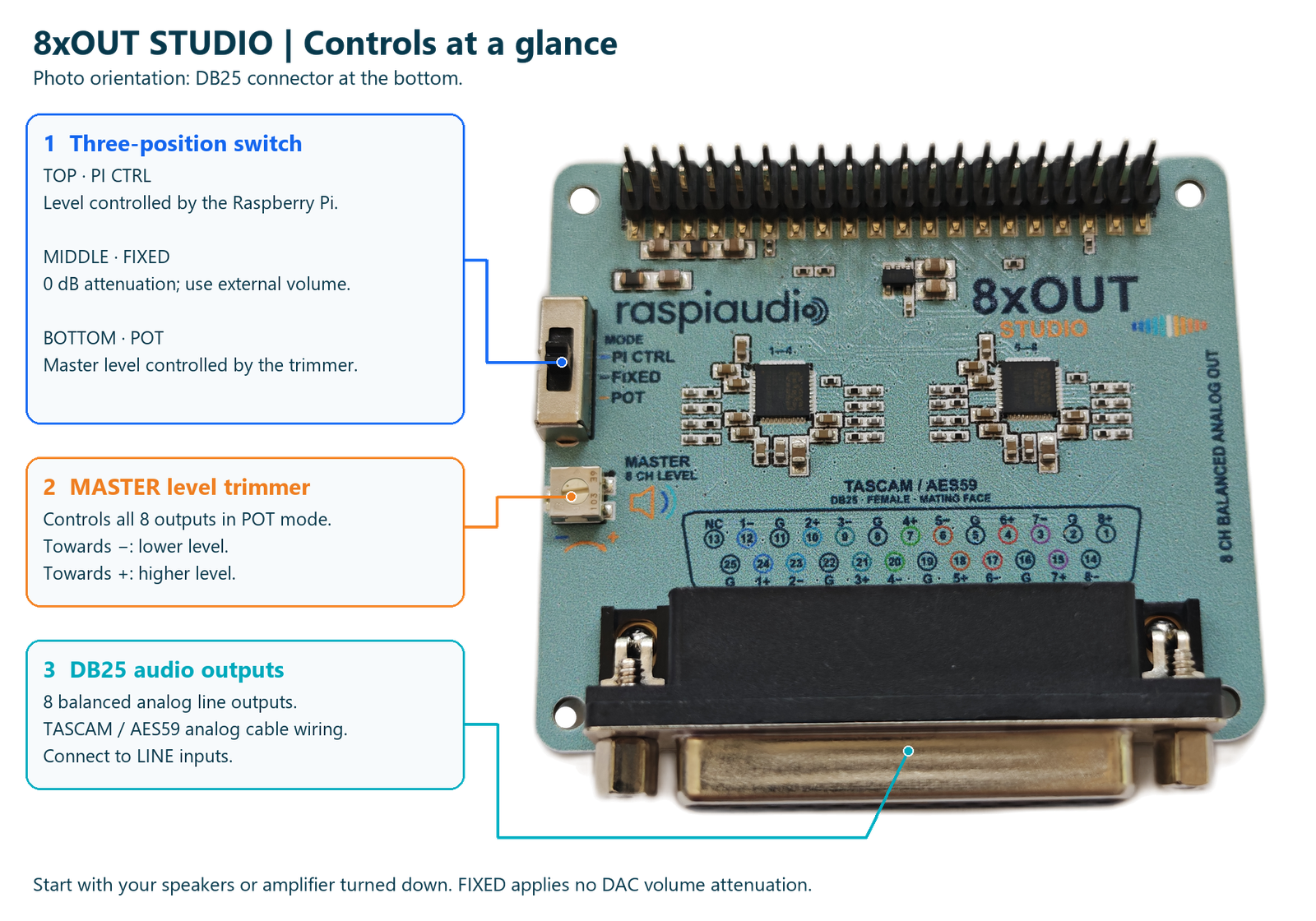 Switch, master level and DB25 explained. Open image for full-size annotations.
ONE BOARD. YOUR WAY TO CONTROL IT.
Let your Pi take control, keep a fixed reference, or adjust all eight outputs together on the board.
Send commands from your Pi to control attenuation directly in both DACs. Integrate level control into your player, automation or custom application. This is not an automatic volume slider in every Linux mixer; ALSA or application integration is separate.
Use a fixed digital attenuation setting and manage listening level elsewhere in your system. Start with your downstream volume turned down.
Use a screwdriver to turn the small onboard trimmer. It sets the shared master level directly in both DACs through their digital attenuation controls, adjusting all eight channels together. No separate adjustment for each output, and no large external volume knob.
Planned control functions. Availability depends on the release firmware and supported Raspberry Pi configuration.
PLUG-AND-PLAY ON RASPBERRY PI OS
Raspberry Pi OS recognizes 8xOUT STUDIO automatically. No extra board driver to install, no DAC initialization to program. The HAT EEPROM identifies the board and the onboard ATtiny1616 handles DAC initialization, so you can focus on your audio application.
With power disconnected, fit the board to your Raspberry Pi 5’s 40-pin header and connect your analogue breakout cable.
The board is detected automatically and its eight playback channels become available to your audio software.
Select 8xOUT STUDIO in CamillaDSP or another application supporting eight-channel ALSA playback. Set your channel routing, filters and listening level.
Build active crossovers, apply EQ and room-correction filters, or route multichannel audio. CamillaDSP runs on your Raspberry Pi; 8xOUT STUDIO provides the balanced analogue outputs. Explore CamillaDSP ↗
Audio travels through the Pi's 40-pin header, leaving USB ports available for your other equipment. The audio board is powered directly by the Pi: no separate audio-board power supply. Use a suitable power supply for your complete Pi 5 system and peripherals.
Reported by RASPIAUDIO. Audio travels directly over the Raspberry Pi GPIO/I2S connection. Latency depends on the operating system, application and buffer settings; no fixed end-to-end latency is guaranteed.
Automatic recognition and eight-channel playback tested on Raspberry Pi OS with Raspberry Pi 5. Your chosen audio application must still be installed and configured. Other operating systems, channel formats and sample rates depend on their software support.
Questions about setup or using your 8xOUT STUDIO? Join the discussion on our forum — we're happy to help.
ONE OUTPUT STAGE. ROOM TO EXPERIMENT.
Build a 7.1-channel home cinema playback system, with one balanced output per channel. Your Pi software handles decoding and routing; active speakers or external amplifiers handle the power.
With CamillaDSP, drive two four-way active speakers or one eight-way system. Route a filtered output to each amplifier channel for crossovers, EQ and room correction.
Use software routing to send audio to four stereo systems or eight separate mono zones. A compact starting point for installations and multi-room projects.
Add eight balanced playback channels to a studio workflow. This is an output board, not an audio input interface.
Application examples require suitable software and external equipment. No onboard application DSP or power amplifier is implied.
UP CLOSE, FROM EVERY ANGLE
Five real photographs of the board, its controls and installation on a Raspberry Pi 5. Raspberry Pi and case not included.
Two ESS DACs, the 40-pin header, the mode switch and the screwdriver-adjustable master level trimmer.
REAL PRODUCT PHOTOGRAPHOpen full-size view ↗THE ESSENTIALS
Studio connectivity. Dedicated conversion. Raspberry Pi flexibility.
Read the ESS datasheet ↗A FEW GOOD QUESTIONS
No. 8xOUT STUDIO is designed for the Raspberry Pi 5’s 40-pin header. Audio comes from the Pi, and the DB25 carries eight analogue outputs.
No. These are balanced line-level outputs. Use active speakers or separate power amplifiers. There is no onboard speaker power amplifier.
No extra board driver is required on Raspberry Pi OS with Raspberry Pi 5. Automatic recognition and eight-channel playback have been tested. Fit the board with power disconnected, boot the Pi, then select its outputs in your audio application. Other Pi models and Linux distributions are not covered by this claim.
Yes. Select the board as an eight-channel ALSA playback device in CamillaDSP for crossovers, EQ, room-correction filters and channel routing. Other Raspberry Pi applications can use it when they support eight-channel ALSA playback at a compatible sample rate and format. Install and configure your chosen application separately; automatic board recognition does not create your audio processing configuration.
No. Your Raspberry Pi runs that software. The board provides the eight-channel digital-to-analogue conversion and balanced line outputs. The onboard microcontroller manages DAC settings rather than application audio processing.
The DACs support up to 32-bit / 768 kHz.* Current Raspberry Pi software and hardware configurations are generally limited to up to 32-bit / 192 kHz. Actual eight-channel formats and rates depend on the OS, driver, clocks and application; 192 kHz is not a guarantee for every configuration. A tested rate matrix will follow. The 124 dB DNR figure remains a typical DAC specification, not a guaranteed whole-board measurement.
No separate power supply is required for the audio board. Audio and power use the Raspberry Pi 40-pin header, keeping your USB ports free. Your Pi 5 and connected peripherals still require an appropriately sized system power supply.
Choose a male DB25 breakout with the TASCAM / AES59 analogue pinout. Use eight male XLR ends for equipment with female XLR inputs, or eight 1/4-inch (6.35 mm) TRS plugs for balanced jack inputs. Each plug carries one balanced channel, not a stereo pair. A DB25 connector alone does not guarantee matching wiring. See cable examples above. Breakout cables are not included.
Yes. Orders are open, subject to remaining stock. Current availability and pricing are shown in the purchase section. Shipping options are calculated at checkout for your destination.
RASPIAUDIO 8xOUT STUDIO
Check current availability in the purchase section above.